

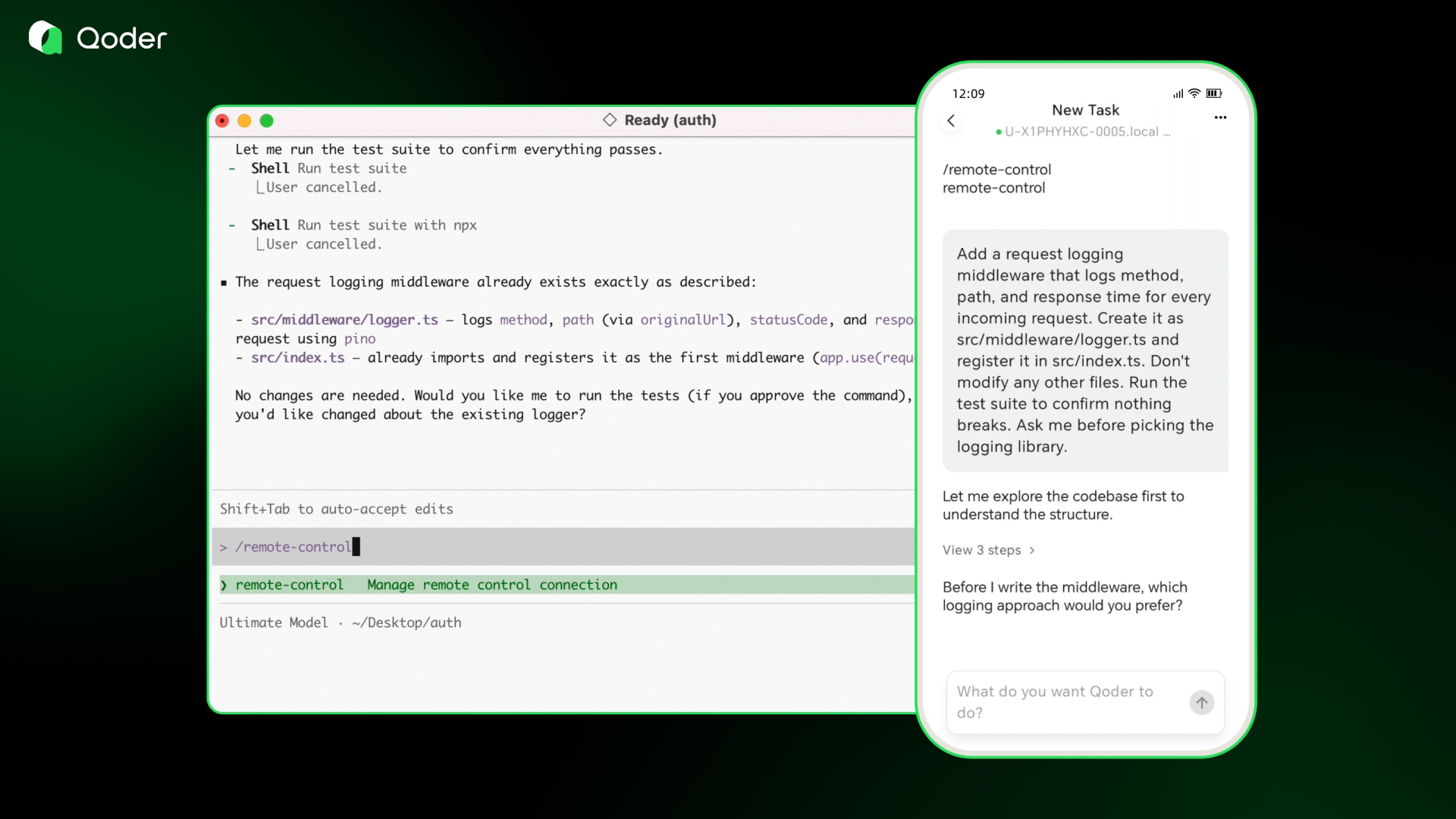
Today, Qoder officially supports remote control. The web version is published. The iOS and Android mobile apps are Listing.
Currently, the remote control (RC) feature initially supports integration with Qoder command-line interface (CLI). Qoder IDE, QoderWork, and the digital employee QoderWake will support this integration soon. Qoder mobile apps are also listing in various application stores. Remotely control your Qoder CLI from the web client right away. The Agents on the web and mobile clients work the same as the familiar Agent in the IDE. They write code, answer complex questions, and build an overall frame for your job.
Why this excites us
Frequent Agent users often encounter this situation. If a job is slightly complex or you have high requirements for the result, you revise it five or six times. The result still falls short. You cannot explain what is missing. The Agent cannot guess what you want. We want you to see the thinking procedure of the Agent in a complex job that runs many steps. You know what context it references and where it makes trade-offs. Then, you take control when needed.
Instant messaging (IM) is a great Agent entrance. For a simple job, you assign it with one sentence and receive a result. This works smoothly in many scenarios.
However, a chat window naturally cannot fit the elements required for a sense of control. These elements include a structured execution plan, the infer basis for each step, and expandable decision points. The underlying layer of IM is a conversation flow. A timeline scrolls from top to bottom. All content is a message. This structure serves human-to-human communication perfectly. However, if you insert an Agent job that runs dozens of steps, you face several or even dozens of screens of chat records when you look back for a key point.
Qoder remote control does things differently. Its underlying layer is not a conversation. It is a job.
What Qoder remote control does
Open the Qoder mobile app. You see a group of job cards. They show which jobs run, which wait for your decision, and which are complete. Click a card. You do not see a long string of chat bubbles. You see the complete structure of this job. This includes the current execution plan, the infer of the Agent at each step, the tool calling, and the current decision point. Expand the thinking procedure, tool calling, and decision points to view details. Approve them, change the direction, or mark them as Rejected. These jobs run at the same time. While you complete the approval for one plan, three other jobs already move forward.
Advantages of Qoder remote control:
-
Real-time Sync: The CLI session runs on your computer. The app syncs in real-time. It shows what the Agent does, what it needs, and when it finishes.
-
Instant push notifications: The app sends a push notification immediately when the Agent requires a decision. Click the notification to go directly to the corresponding job.
-
Native mobile conversation view: The Agent activity is compressed into a one-line summary. This includes file read, code modification, and testing run. Scan it at a glance and click to expand.
-
One app for all Agents: A unified mobile app built for the entire Qoder product line. This includes CLI, IDE, QoderWork, and QoderWake.
Imagine a scenario:
You Start a job on your desktop. The Agent is already running. At this time, a colleague calls you for lunch. Previously, you had to wait for it to finish or bet that the Agent completes the job at once.
Now, you take out your phone and open the Qoder mobile app. The job is still there. You clearly see what the Agent is doing, what it thinks, and what code it references on one screen.
You glance at your phone on the way to lunch. The Agent asks you a question at a certain step. You view its infer procedure and reply. The Agent continues to run. After you finish lunch, your phone sends a notification:
The job is complete. You click it and view the final result. Everything is fine. You Validate and Pass the job.
During lunch, two other jobs also move forward significantly.
The Agent does not pick the time and location. However, you must sit in front of the computer and open a specific tool to see what it does and make decisions. This means the efficiency limit of the Agent is not its computing power. It is the time you spend at your desk. Qoder aims to turn this into a new productivity paradigm. With a phone, you fully control all your Agents anytime and anywhere.
Integrating with Qoder CLI is just the beginning. The Qoder product line ranges from programming scenarios covered by Qoder IDE and plugins, to office collaboration supported by QoderWork, and to the digital employee QoderWake for super individuals and organizations. Every Qoder product will eventually converge into the super entrance on your phone.
Qoder Mobile is the unified mobile app for the entire Qoder product line. It starts with remote control of Qoder CLI. Connect to sessions on your Phone. Approve operations. Append instructions. QoderWork and QoderWake are coming soon. Try it on the web: